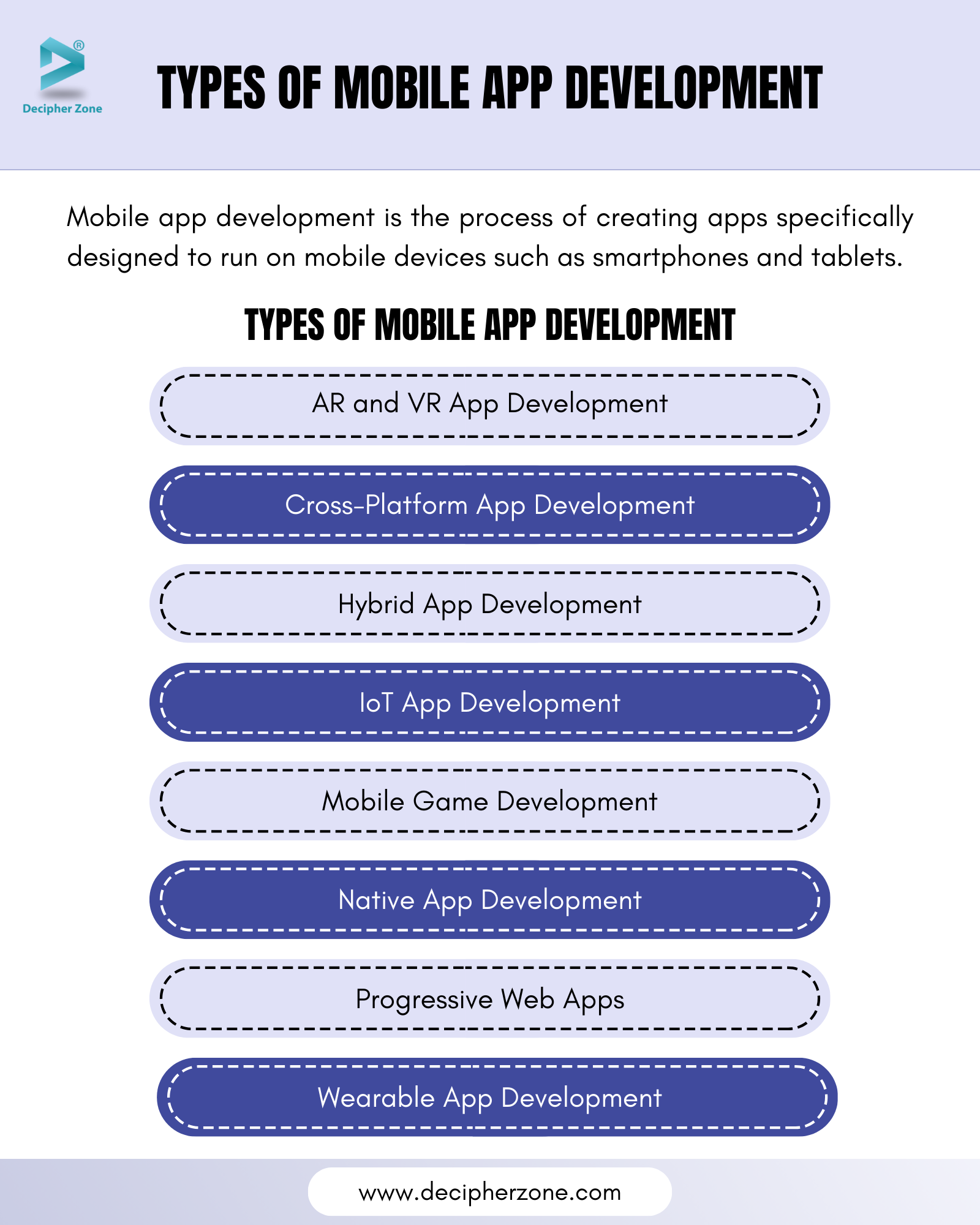
Android development may be categorized based on the kind of applications you are developing, the tools and frameworks used, and the platforms to be targeted. The key types of Android development follow:
1. Native Android Development
This kind is specific in developing applications for the Android platform using the Android SDK, and platform-specific languages. In native apps, full use of OS and hardware features will maximize performance.
- Languages: Java, Kotlin
- Tools: The primary tools that are utilized in this context include Android Studio, which serves as the Integrated Development Environment (IDE), alongside the Android Software Development Kit (SDK) and Firebase for backend services and real-time data synchronization.
- Advantages: The advantages of using this development setup are significant; it offers high performance levels that can handle intensive processes seamlessly, provides full access to a wide range of device features such as the camera, GPS, and various sensors, and is specifically optimized to create user experiences that cater to Android users in particular.
- Use Case: The ideal use case for this type of development includes applications that require exceptional performance and necessitate deep integration with Android hardware and features, including but not limited to interactive games and resource-intensive applications such as photo editors, among others.
2. Cross-Platform Android Development
Cross-platform development provides a huge advantage for developers in that they are able to create one codebase that can work beautifully on both the Android and iOS platforms, and sometimes also on other platforms like web and desktop environments. This approach thus reduces the overall development time and associated cost by allowing the maintenance of only one unified codebase rather than multiple distinct ones.
Cross-platform development frameworks include the following popular options. There is one of the prominent ones, Flutter, developed by Google.
Flutter uses the Dart programming language, which has been designed for high-performance applications.
The advantages of using Flutter are numerous and notable, including hot reload, through which developers can see their changes in real time; fast development cycles; expressive user interface (UI); performance levels comparable to native applications; and most importantly, a single codebase for both Android and iOS.
Use Case: Applications which need to run on both Android and iOS platforms, but at the same time, provide a rich and customised user interface experience. React Native (Developed by Facebook): Language: JavaScript, which is used in conjunction with the React framework. Advantages: This framework provides native performance for most tasks, allows for reusable code to be shared across different platforms, and has a big and active community that supports the framework. Use Case: Applications that stress the maintaining of UI consistency across both Android and iOS operating systems. A few examples include social media applications, e-commerce, and news-related apps. Xamarin (Developed by Microsoft): Language: C# programming language. Advantages: This platform allows for reuse of code, access to native application programming interfaces (APIs), and high performance capabilities.
Use Case: These are applications that are created for enterprise solutions, such as internal business applications as well as apps that extensively use C#.
Ionic:
Language: The languages that are used in this framework are JavaScript, TypeScript, HTML, and CSS.
Advantages: One of the main advantages is that it uses web technologies to create applications, easily supports frameworks like Angular or React, and also supports native functionality through the use of plugins.
Use Case: These are applications that can be deployed both as a web application and mobile application with only minor adjustments necessary to do so.
3. Hybrid Android Development
Hybrid development offers developers the opportunity to create mobile applications through web technologies like HTML, CSS, and JavaScript. Then, these applications are put into a native shell so they can run smoothly on an Android device.
There are some frameworks that make this happen:
Apache Cordova, which is also called PhoneGap, is a strong platform designed strictly for the purpose of creating hybrid applications using HTML, CSS, and JavaScript.
Framework7 is a framework that allows developers to build hybrid mobile applications through web technologies, which offers features that provide experiences just like native mobile applications.
Benefits: The development process is dramatically accelerated by the use of web technologies, which makes it much faster than any other approach; besides, this approach is highly easy to maintain in the long run, making it possible to update and change with efficiency. Besides, these applications are capable of being used not only as mobile applications but also as web applications, thus giving flexibility in their use across different platforms.
Use Case: This development approach is best suited for applications that have less complex functionality and place a premium on fast development timeframes, which includes categories like information applications that provide valuable content, news apps that keep users updated with the latest information, and basic tools that help with simple tasks.
4. Android Wear (Wear OS) Development
Wear OS is a more advanced variant of the Android operating system specifically designed and optimized for use with smartwatches and many types of wearables. The development of an app under Wear OS would focus on developing applications that work fine on smaller screens; therefore, the apps require extra fine-tuning because such devices often offer few ways in which users can input what they want to do.
In terms of tools used in such a development, the environment where most of the coding will take place will be the Android Studio. Moreover, it will have at its disposal the Wearable Support Library, which would allow further resources for building functional apps.
Java and Kotlin are the two languages often used in such environments; therefore, they can very easily help develop applications under the Android family of systems.
As far as the use cases, apps under Wear OS may serve several applications. They may work on fitness tracking, providing users with notifications, and the developing applications that make use of numerous sensors, like in a heart rate monitor or a wearable that would cooperate smoothly with a mobile app.
5. Android TV Development
Android TV is the customized version of the Android operating system, especially designed for the television screen. This platform provides a user-friendly and expansive interface that is optimized for large screens and functionality for remote control input. The process of developing applications for Android TV requires developers to focus on creating applications that include specific user interface elements and control schemes suitable for this environment.
The necessary tools used in this development process include Android Studio, which is the official integrated development environment, and the Leanback Support Library, which provides additional support for designing TV apps. The programming languages most commonly used in this process are Java and Kotlin, both of which are very effective for creating robust Android applications.
In practical applications, the primary use cases for Android TV include media applications such as popular streaming services like Netflix and YouTube, games that have been carefully optimized to provide an enjoyable experience on TV screens, in addition to various smart TV applications that enhance the viewing experience.
6. Android Auto Development
Android Auto is an application that is specialized, tailored especially for automotive use and contains applications with perfect integration in the automobile's infotainment system. Android Auto applications have been created for the specific aim of offering convenience and easy accessibility of numerous necessary services to a driver such as navigation, messages, playing music, as well as communicating and at the same time it does this by prioritizing safe and free-hand driver attentiveness while on the road.
Typical tools applied in Android Auto applications' development process are Android Studio and Android Auto API for the purposes of designing and integrating Android Auto applications. Languages applied to write this application are majorly Java and Kotlin due to the requirements of having an ideal android application .
One good example for the Android Auto application usage can be applications which support the way drivers navigate such as Google Maps as well as those which have audio or media streaming along with voice applications which have increased the quality of their services but, at the same time, offer safety as well as convenient drivers' time while traveling .
7. Game Development for Android
Game development primarily concentrates on the intricate process of creating engaging and interactive games specifically designed for Android devices. This endeavor frequently necessitates the use of specialized tools and frameworks that are adept at managing various crucial aspects such as graphics rendering, performance optimization, and user interaction dynamics.
The tools commonly utilized in this field include prominent software solutions like Unity, Unreal Engine, and Cocos2d, which provide developers with powerful capabilities to bring their creative visions to life.
The programming languages that are typically employed in this development process comprise C#, C++, Java, and Kotlin, each offering unique features suited for different game development needs.
In terms of use cases, the range of games developed can include both two-dimensional (2D) and three-dimensional (3D) formats, encompassing everything from casual, simple games to more complex, high-performance titles that require intensive graphic processing capabilities.
8. Android App for IoT (Internet of Things) Development
Android IoT development refers to the process of developing applications that are able to communicate and interact with a number of devices related to the Internet of Things, including smart home devices, wearables, and others using connectivity such as Bluetooth, Wi-Fi, or any other suitable communication protocol.
The essential tools used during this process are Android Studio-a powerful integrated development environment (IDE)-in addition to Bluetooth API and Wi-Fi Direct API for establishing connectivity and interaction with these devices.
The languages used to write these kinds of applications are mainly Java and Kotlin, both offering strong frameworks for creating fully functional and user-friendly applications.
Use cases include smart home apps, fitness tracker devices, among others created specifically to control or monitor the performance and status of Internet of Things devices.
9. Android App Development with AI/ML
With the new usage of AI and ML, the development of applications in Android has emerged to develop applications with intelligent and advanced features that include speech recognition, image processing, and advanced recommendation systems.
The support tools to do this are powerful resources like TensorFlow Lite and ML Kit from Firebase.
The programing languages in this field include both Java and Kotlin that provide heavy support for developing these new applications.
A wide range of applications arise with the use of AI wherein users include voice assistants that can command through voice and understand what was commanded; image recognition for the recognition of objects or people in pictures; chatbots for real-time interaction with users; instant translation services, etc.
10. Augmented Reality (AR) Android Development
AR Android development enables apps to merge digital content with the real world. Android developers use AR technology to create immersive and interactive experiences for users.
Tools: ARCore (by Google)
Languages: Java, Kotlin
Use Case: Games (e.g., Pokémon GO), virtual try-on features for shopping, real estate apps with 3D visualizations



No comments:
Post a Comment